01Why WhatsApp Salesforce Integration is Non-Negotiable in 2026
In 2026, if your WhatsApp conversations aren't living inside your Salesforce org, you are losing millions in hidden deal intelligence. WhatsApp has more than 3 billion monthly active users and is the primary business communication channel across South Asia, the Middle East, Latin America, and rapidly growing across Europe. If your sales team uses WhatsApp and it isn't integrated with Salesforce, you have a blind spot in your CRM.
The integration isn't just about logging messages. It is about real-time synchronisation of customer intent: when a prospect asks about your pricing on WhatsApp, that signal should immediately update their Lead Score in Salesforce, not be filed away in someone's phone.
The two main approaches to WhatsApp Salesforce integration in 2026 are: (1) Standard connectors — third-party apps that act as middleware between WhatsApp and Salesforce, marking up message costs; and (2) BYOK native apps — connectors like ConnectVogue that install directly into Salesforce as managed packages, use your own Meta API keys, and store all data within your org's trust boundary.
02Prerequisites: What You Need Before Integration
Before starting your WhatsApp Salesforce integration, you need three things ready: a Meta WhatsApp Business Account (WABA), a Salesforce org with System Administrator access, and optionally, a Twilio account if you also want SMS.
For the Meta WhatsApp Business Account: You need a verified Meta Business Manager account. Within it, you create a WhatsApp Business Account (WABA) and register a dedicated phone number. This number cannot be a personal WhatsApp number — it must be a business number, either a landline or a mobile number not already registered to a personal WhatsApp account. Meta's approval process typically takes 24–72 hours for standard business verification.
For Twilio (SMS): Create a Twilio account, purchase a phone number with SMS capability, and note your Account SID and Auth Token. These are the credentials you will store in Salesforce's Named Credentials as part of the BYOK setup.
For Salesforce: You need a Salesforce org running on API version 59.0 or higher (Winter '24 or later). System Administrator access is required for the initial installation of the ConnectVogue managed package and for creating Named Credentials and External Credentials.
03Step-by-Step: Installing ConnectVogue on Salesforce AppExchange
Step 1 — Install from AppExchange: Navigate to the ConnectVogue listing on Salesforce AppExchange. Click 'Get It Now', select your Salesforce org, and install for All Users or Specific Profiles based on your security model. The installation creates all custom objects (CV_Conversation__c, CV_Message__c, CV_Starred_Conversation__c, CV_AI_Provider_Setting__c), custom metadata types, and the Lightning component that appears in your App.
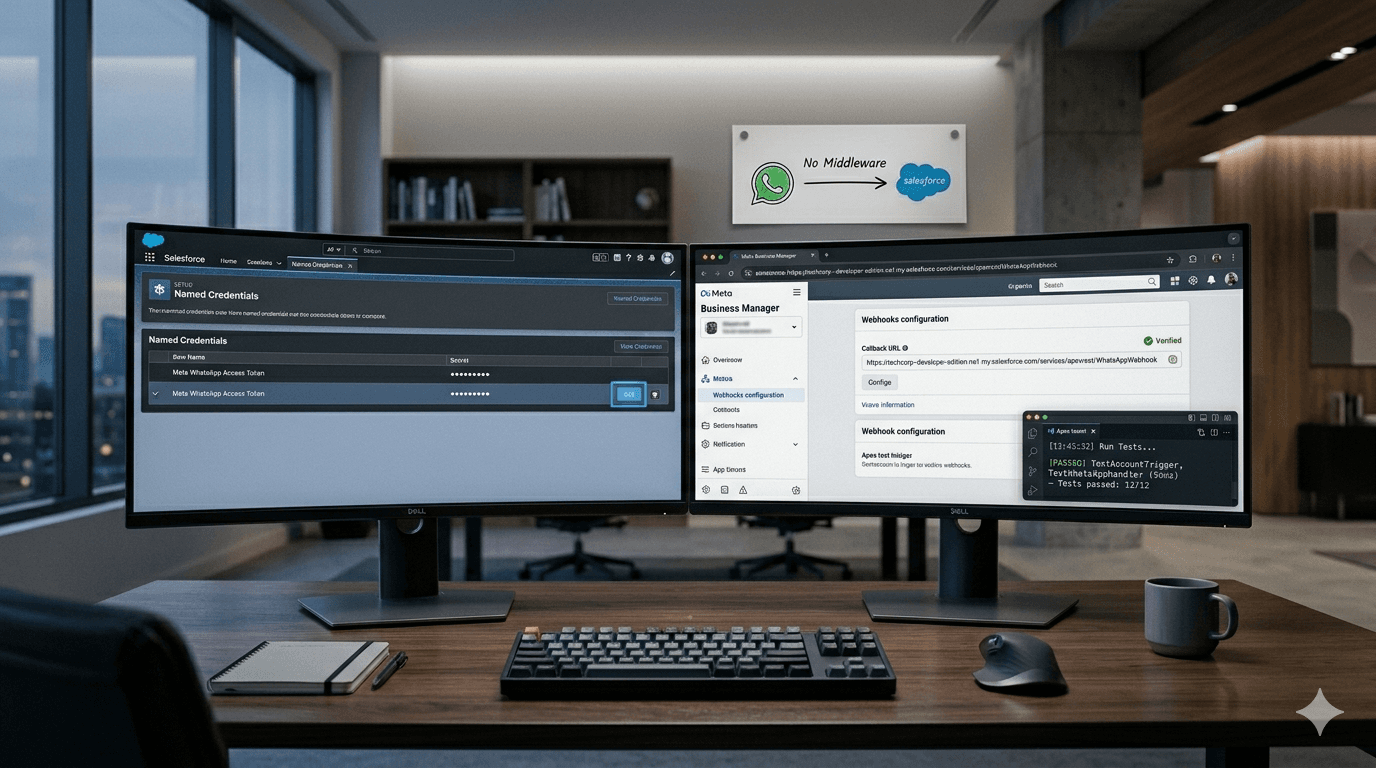
Step 2 — Configure WhatsApp Credentials (BYOK): In Salesforce Setup, navigate to Named Credentials. Create an External Credential for Meta WhatsApp. Enter your WhatsApp Phone Number ID and Access Token from your Meta Business Manager. These are stored encrypted within Salesforce — they never leave your org.
Step 3 — Configure Twilio SMS (optional): Similarly, create a Named Credential for Twilio. Enter your Twilio Account SID and Auth Token. Configure the 'From' phone number in the Twilio_Settings__mdt custom metadata record.
Step 4 — Configure Webhooks: In your Meta Business Manager, set the Webhook URL to your Salesforce Experience Cloud or Site URL endpoint (provided by ConnectVogue's package). This webhook handles inbound WhatsApp messages in real time. Verify the webhook with the token provided in ConnectVogue's setup documentation.
Step 5 — Configure AI Provider: Navigate to the CV_AI_Provider_Setting__c tab in Salesforce. Create a new record and select your preferred AI provider: Google Gemini, OpenAI ChatGPT, Anthropic Claude, or Salesforce Einstein. Enter the corresponding API key. This key is also stored in Salesforce Named Credentials — never on ConnectVogue's servers.
04How BYOK Integration Differs From Standard WhatsApp Salesforce Setup
The key architectural difference is where your message data flows. In a standard (non-BYOK) WhatsApp Salesforce integration — such as 360SMS or MessageBlink — messages are routed through the vendor's cloud servers before reaching Salesforce. Your data touches infrastructure you don't control, owned by a third party.
In ConnectVogue's BYOK architecture, inbound WhatsApp messages are sent directly from Meta to a webhook endpoint inside your Salesforce org (via a Salesforce Site or Experience Cloud page). The message is processed entirely within Salesforce by Apex code in the managed package. No ConnectVogue server ever sees your messages.
For outbound messages: ConnectVogue's Apex code in your Salesforce org makes a direct callout to the Meta WhatsApp Cloud API (v22.0) using your own access token, stored in your org's Named Credentials. The message goes from your Salesforce org directly to Meta. Again, no third-party server in the path.
This BYOK architecture has three practical consequences: (1) lower latency (no middleware hop); (2) full data sovereignty under GDPR/CCPA; and (3) you pay Meta's wholesale rates directly rather than a vendor markup.
05Common Integration Errors and How to Fix Them
Error: Webhook verification fails. Fix: Ensure your Salesforce Site URL is publicly accessible and the verify token in Meta Business Manager exactly matches the token in your ConnectVogue configuration. Salesforce Sites must have 'Guest User' access enabled for the webhook endpoint.
Error: Messages not appearing in Salesforce after sending. Fix: Check the CV_Message__c object's 'Status' field. A 'Failed' status usually indicates an authentication error — verify your Named Credential access token hasn't expired. Meta access tokens for System Users are permanent; tokens for test users expire in 24 hours.
Error: AI summary returns empty or error. Fix: Verify your AI provider API key in CV_AI_Provider_Setting__c is valid and has sufficient API credits. For Gemini, ensure the 'generativelanguage.googleapis.com' domain is in your Salesforce Remote Site Settings. For OpenAI and Claude, ensure 'api.openai.com' and 'api.anthropic.com' are permitted.
Error: Bulk message fails for some contacts. Fix: Ensure each contact has a valid phone number in E.164 format (+[country code][number], e.g., +14155552671). Contacts without WhatsApp Business accounts will return a delivery failure from Meta. Check the Template approval status — only 'APPROVED' templates can be used for bulk outreach.
06Testing Your Integration: End-to-End Verification Checklist
After setup, run through this checklist before going live: (1) Send a test WhatsApp message from a personal WhatsApp number to your registered business number. Verify it appears as a CV_Message__c record linked to the correct CV_Conversation__c in Salesforce. (2) Reply to the message from the ConnectVogue console in Salesforce. Verify delivery on the personal phone. (3) Send a test SMS from the ConnectVogue console to a mobile number. Verify delivery via Twilio. (4) Trigger an AI summary on the test conversation. Verify the summary is generated and saved. (5) Build a test Flow using one of the five ConnectVogue invocable actions and verify it executes correctly. (6) Check that inbound messages correctly auto-create or link to existing Contact/Lead records by phone number.
“Integrate for intelligence, not just for logging. With BYOK architecture, your WhatsApp data stays in Salesforce, your costs drop 40–60%, and Agentic AI turns every conversation into structured CRM data. The setup is a one-time investment; the compound return is permanent.”
Frequently Asked Questions
What are the prerequisites for WhatsApp Salesforce integration using BYOK architecture in 2026?
How long does it take to complete a WhatsApp Salesforce BYOK integration from scratch?
What is the difference between a native Salesforce WhatsApp app and a middleware connector?
How do I configure a Meta WhatsApp webhook to point to my Salesforce org endpoint?
Keep Reading
All InsightsWhat Happens to Your WhatsApp Data When You Use 360SMS? A GDPR and Data Residency Audit
Every inbound WhatsApp message routed through a middleware vendor makes that vendor a GDPR data processor. Here is exactly what that means for Salesforce teams in the EU, UK, and UAE — and how native architecture eliminates the risk entirely.
360SMS Alternative in 2026: Why Salesforce Teams Are Switching to BYOK Architecture
360SMS dominates the Salesforce AppExchange with 60,000+ users. But for scaling teams, BYOK architecture cuts messaging costs by 40–60%, keeps all data inside your org, and delivers multi-provider Agentic AI that 360SMS cannot match.